
Blackhead instrument pore cleaner to blackhead artifact electric acne machine to blackhead

Blackhead instrument pore cleaner to blackhead artifact electric acne machine to blackhead

Color
$23.60
Skip to product information
Blackhead instrument pore cleaner to blackhead artifact electric acne machine to blackhead

Blackhead instrument pore cleaner to blackhead artifact electric acne machine to blackhead

$23.60
Payment methods
  • American Express
  • Apple Pay
  • Diners Club
  • Discover
  • Google Pay
  • Mastercard
  • PayPal
  • Shop Pay
  • Visa
Color
🛡️
90-DAY MONEY BACK GUARANTEE
Shop with confidence.
If you're not completely satisfied,
we'll make it right.
🛒
Ordered
🚚
Order Ready
🎁
Delivered
🚚 Friendly Note: We’re working hard to get your order to you as quickly as possible! Estimated delivery dates are our best timeframe—if your package experiences a minor delay, thank you so much for your patience. Your support means the world to us! ❤

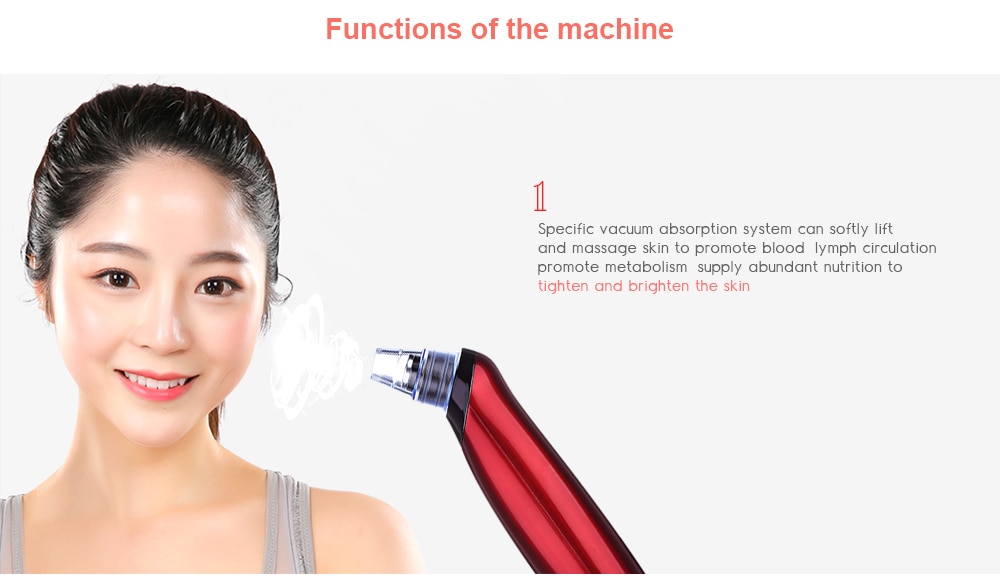
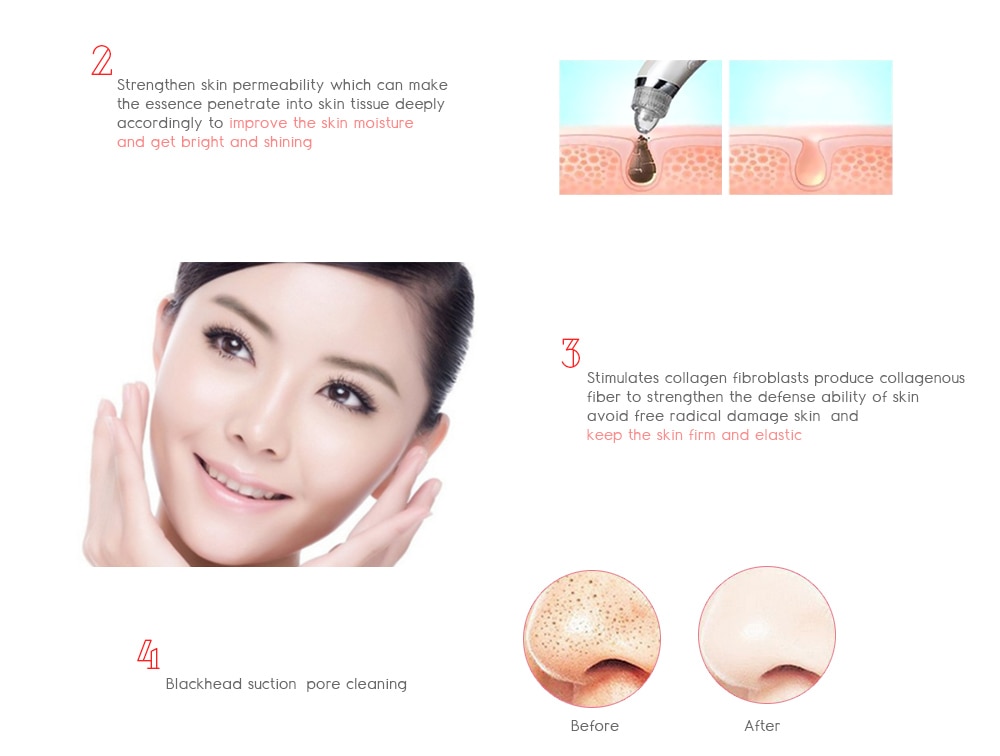
Function: suck blackheads, remove acne
Working mode: electric vacuum pump


how to use

1. Open your pores
The easiest way to "open" your pores is to clean the skin. This will remove surface oil and dirt
A cosmetic that can be placed on the upper layer of the skin (the epidermis).
To properly clean your skin, follow these steps:
Find the best cleaner for your skin. (Emulsion cleaning is suitable for dry or sensitive skin, gel formula
Mixed or oily skin).
Moist your face with warm (not hot or cold) water.
Massage the skin with detergent for about 1 minute without brushing your teeth.
Rinse thoroughly with warm water. For extra cleansing, you can gently wipe the cleaner gently.
number
Pat (scrub) wipes your face.
When you start with a clean base, you must resist whether you are blackheads, whiteheads or acne.
Explosive acne Instead, try to solve acne naturally. Use steam to loosen clogged pores or hot towels
Or wait 10 minutes in the steam bath.
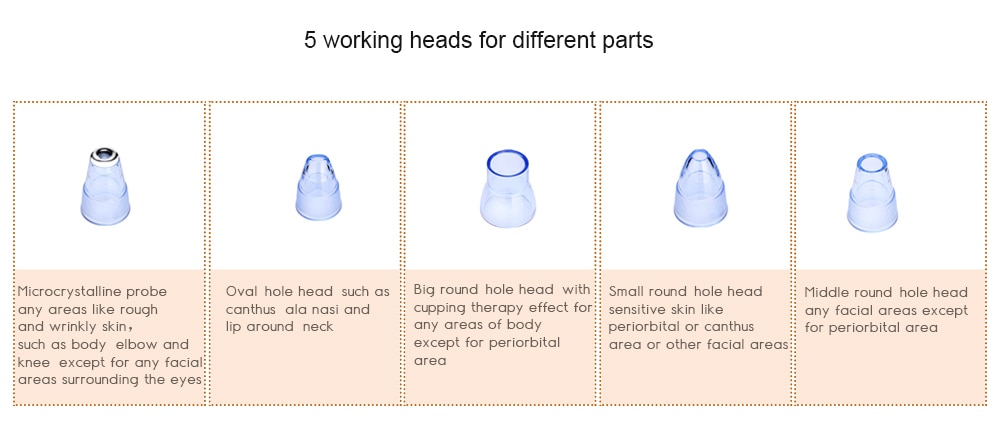
2. Insert the appropriate size of NOOZLE
The hole head is designed for different types of stains. Check the blackheads you want to remove
Select an attachment to complete the assignment. Replace the nozzle at the front end of the blackhead remover
And make sure it is safe.
3. Location of blackhead remover
Place the tip of the nozzle directly on the black spot to completely close the nozzle. Create safety
Sealing makes suction more effective. Try to keep the cleaner upright and make the nozzle flush
volume.
In order to get better results, suck a blackhead at a time. You may also need to move the extractor around the nose for a while to find the best angle for the cheeks and chin lines.
4. Open the device

5. Apply moisturizer
It is important to soften your skin, increase elasticity and elasticity, especially if you are often interested in sputum
Basic. Humidifiers help repair past damage and prevent future interruptions. you can use it
After bathing or before going to bed at night.
The combination of thorough cleansing and moisturizing enhances the skin's ability to breathe and makes the skin more difficult to clean
The oil is trapped in the pores. Choose a moisturizer for your skin and apply it gently
Use the fingertip pad to move in a circular motion.
How to locate a specific black dot?
Put most of the tip remover on your blackhead and set your eyes aside. Ensure that the tip is firmly pressed
Your skin has no space to allow air to enter or leave the nozzle (keeping the makeup remover at a 90 degree angle).
The tip of the nozzle must form a seal or it will not produce the suction required to remove the blackhead.
Note: Do not take too long as it may cause bruises.
When you activate the extractor, there is a slight discomfort because of the suction
A small piece of skin. This discomfort is alleviated by making the action as fast and smooth as possible.
specification
Pil: lityum-it
Voltaj: 3.7 V
Power: 6,5Wh
Capacity: 500mA
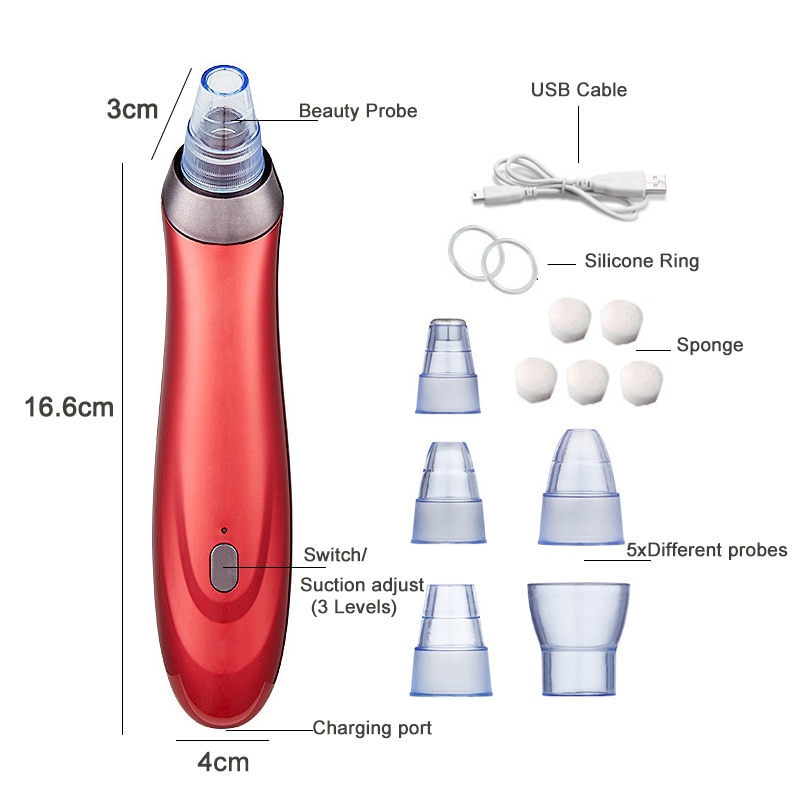
Product size: 18x2.5x2.5 cm


Verified Owner Feedback

Customer Reviews

4.9 / 5.0
★★★★★
Based on 196 verified purchases
Display Clarity & Touch 4.9 / 5
Kickstand Stability 5.0 / 5
Portability & Battery 4.9 / 5
CH
Camille Henderson
Verified Purchaser
Model: HOOMA MegaPad 25"
Primary Use: Kitchen & Living
★★★★★
November 13, 2026

Replaced both our kitchen tablet and bedroom TV

The 25-inch screen size is the sweet spot—large enough to read recipes or watch shows from across the kitchen island, yet light enough to grab by the built-in side handle and carry upstairs at night. The rear kickstand holds firmly at any angle without sliding on quartz countertops.

ML
Marcus Lindholm
Verified Purchaser
Model: HOOMA MegaPad 25"
Primary Use: Home Office & Studio
★★★★★
November 07, 2026

Rotating portrait mode is brilliant for sheet music and design

Being able to spin the screen vertically on its integrated stand makes reviewing long architectural PDFs, calendars, and full-page sheet music completely effortless. Wireless casting from my MacBook works in seconds, and the dual rear speakers sound surprisingly full and clear.

SR
Sienna Ramirez
Verified Purchaser
Model: HOOMA MegaPad 25"
Primary Use: Family & Patio
★★★★★
October 30, 2026

Clean minimalist finish and cordless convenience

The matte cream-white back and champagne-toned stand blend right into our living room decor without looking like bulky tech clutter. My kids use it for educational drawing apps during the day, and we bring it out to the back patio for movie nights without needing an extension cord.

Technical Specifications

Frequently Asked Questions

Display capabilities, battery independence, kickstand orientation, and connectivity details for the HOOMA MegaPad 25".

Screen Size 25" Full HD Touchscreen
Stand Design 360° Rotating Kickstand
Power Mode Built-in Battery & AC
Audio Output Dual Rear Stereo Speakers
Does the HOOMA MegaPad 25" operate wirelessly on a built-in battery?

Yes. Unlike traditional desktop monitors that require constant wall power, the HOOMA MegaPad features a high-capacity built-in rechargeable battery alongside a recessed side carry handle—allowing you to move it effortlessly from the kitchen counter to the patio, bedroom, or camping setup without cords.

How does the rear kickstand support both landscape and portrait modes?

The back panel houses a 360-degree rotating telescoping kickstand with anti-slip rubber footing. You can pivot seamlessly between horizontal widescreen mode for movies and vertical portrait mode for reading recipes, sheet music, social feeds, or fitness routines, while adjusting the tilt angle to eliminate glare.

What operating system and apps are supported on the MegaPad?

Powered by a full Android smart OS with built-in Wi-Fi and Bluetooth, it supports popular streaming platforms, video calling apps, productivity tools, digital whiteboards, and cloud photo frames right out of the box—with responsive multi-touch control across the entire 25-inch screen.

Can I mirror or cast content from my iPhone, Android, or laptop?

Yes. The MegaPad supports wireless screen mirroring via AirPlay, Miracast, and Chromecast protocols, allowing instant casting from smartphones, tablets, and laptops without extra adapters.

How is the audio quality for movies, music, and video calls?

Equipped with dual integrated stereo speaker arrays on the rear chassis, it delivers clear, room-filling sound for streaming, background music, and hands-free calls, while also supporting Bluetooth pairing with external speakers or headphones.

What is included in the box?

Each package includes the HOOMA MegaPad 25" Smart Display with integrated rotating kickstand and side carry handle, a fast-charging Power Adapter, and a Quick-Start User Guide.